Stiva 1.2.1: offline fonts, a better playlist
Stiva 1.2.1 is out. It can work fully offline now, from the very first launch, and the playlist got a round of work for anyone who listens rather than reads. There's also a proper folder picker for backups, and the usual fixes.
Offline from the first launch
The reading fonts now travel with the app. Until this release Stiva picked them up online the first time it needed them, so the very first launch on a new phone wanted a connection to look right. That's no longer the case: open Stiva with no signal and the text already looks the way it should.
Carrying the fonts along costs a little space, so I went through them: each one trimmed to what Stiva actually needs, and the two heaviest, Merriweather and Playfair Display, swapped for lighter fonts with a similar feel, Bitter and Literata. That leaves five to choose from: Newsreader, Lora, Source Serif 4, Bitter, Literata.
A smoother playlist
If you listen to articles more than you read them, the playlist is where you spend your time, and this release smooths it out.
There's now a soft three-note chime between one article and the next. It plays only when an article ends on its own, the moment you weren't listening for. When you skip or start playback yourself it stays quiet, since you already know what's coming.
The playlist also keeps up with you now. Add an article, drop one, or reorder the queue while you're listening, and the session follows along. The previous and next buttons respond more quickly too, so moving from one piece to the next feels immediate, and the progress bar underneath fills more smoothly as it reads.
Pick where a backup goes
Saving a backup used to go through the share sheet, which on Android doesn't really let you choose a folder. Now the button opens a proper folder picker and you decide where the file lands. Sharing it straight to another app is still there, as a separate button.
Telling Stiva an article's language
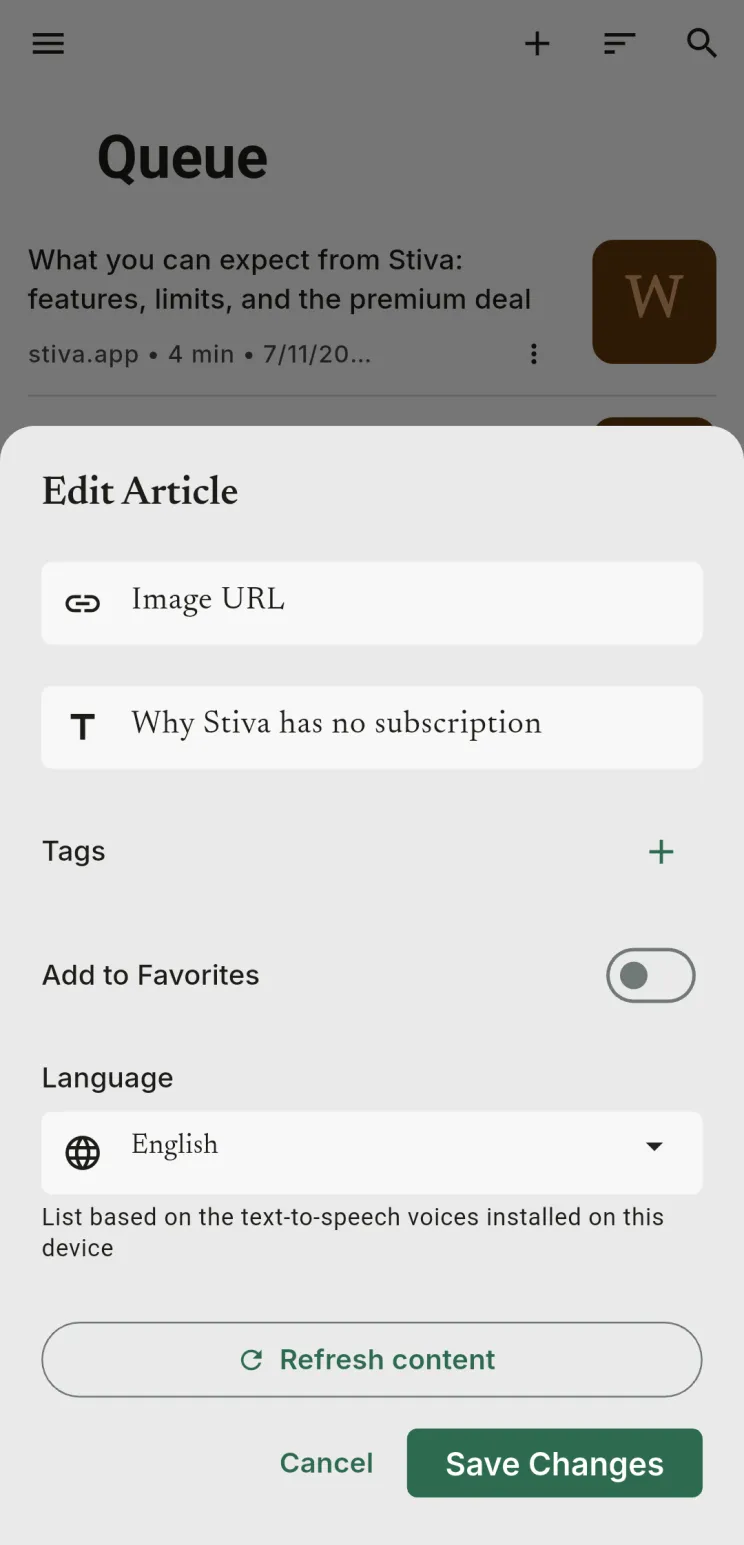
Stiva works out the language of an article on its own, and most of the time it gets it right. When it doesn't, the voice reads with the wrong accent and the words come out mangled. The link editor now has a Language field for those cases: set the language yourself and the voice follows it. The options are the voices you have installed.
As always
Offline support is the kind of change that's invisible when it works and glaring when it doesn't. If a font renders wrong, the playlist does something you didn't expect, or the voice still trips over a language after you've set it, tell me. That's the part I can't see from here.