An Instapaper alternative without the monthly bill.
Instapaper is a good app, and unlike most of this category it's still here. The catch is the $5.99 a month, forever, for the features you reach for daily. Stiva is a read later app for Android that keeps your articles on your phone, reads and listens to them offline for free, and asks for one payment instead of a standing one. It imports your Instapaper export.

No account. No servers. No subscription. Free to save, read and listen. Pay once for Premium.
What Instapaper gets right.
Worth saying plainly, because it's the reason people are still on it.
Instapaper has been around since 2008 and it invented most of what this category takes for granted: strip the page down, keep the words, sync them everywhere. The reader is still one of the calmest on the market, the free tier genuinely saves unlimited articles, and send-to-Kindle is a lovely touch for anyone who reads on an e-reader.
If that's working for you, there's no reason to move. This page is for the people who keep bumping into the paywall, or who would rather their reading didn't live on someone else's server. It's also for anyone using Instapaper on Android who wants something built for that phone first.
Where the free tier stops.
Instapaper Premium is $5.99 a month, or $59.99 a year. Here's what sits on each side of that line.
| Feature | Instapaper free | Instapaper Premium | Stiva |
|---|---|---|---|
| Saving articles | Unlimited | Unlimited | Unlimited, free |
| Full-text search | No | Yes, while subscribed | Premium, paid once |
| Listening to articles | No AI voices or playlists | AI voices and playlists | Native offline voices, listen to single articles; playlist in Premium |
| Notes and highlights | 5 notes a month | Unlimited | Free on 10 articles; unlimited in Premium |
| Send to Kindle | No | Yes | No |
| Permanent archive | No | Yes, in their cloud | Yes, on your device, free |
| Cost | Free | $5.99/mo or $59.99/yr | Free; one-time 6,99€ for Premium (eurozone price) |
Instapaper pricing and features are as of 2026 and change often; check instapaper.com for current terms.
What Stiva does differently.
Two decisions, and everything else follows from them: no subscription, and no server.
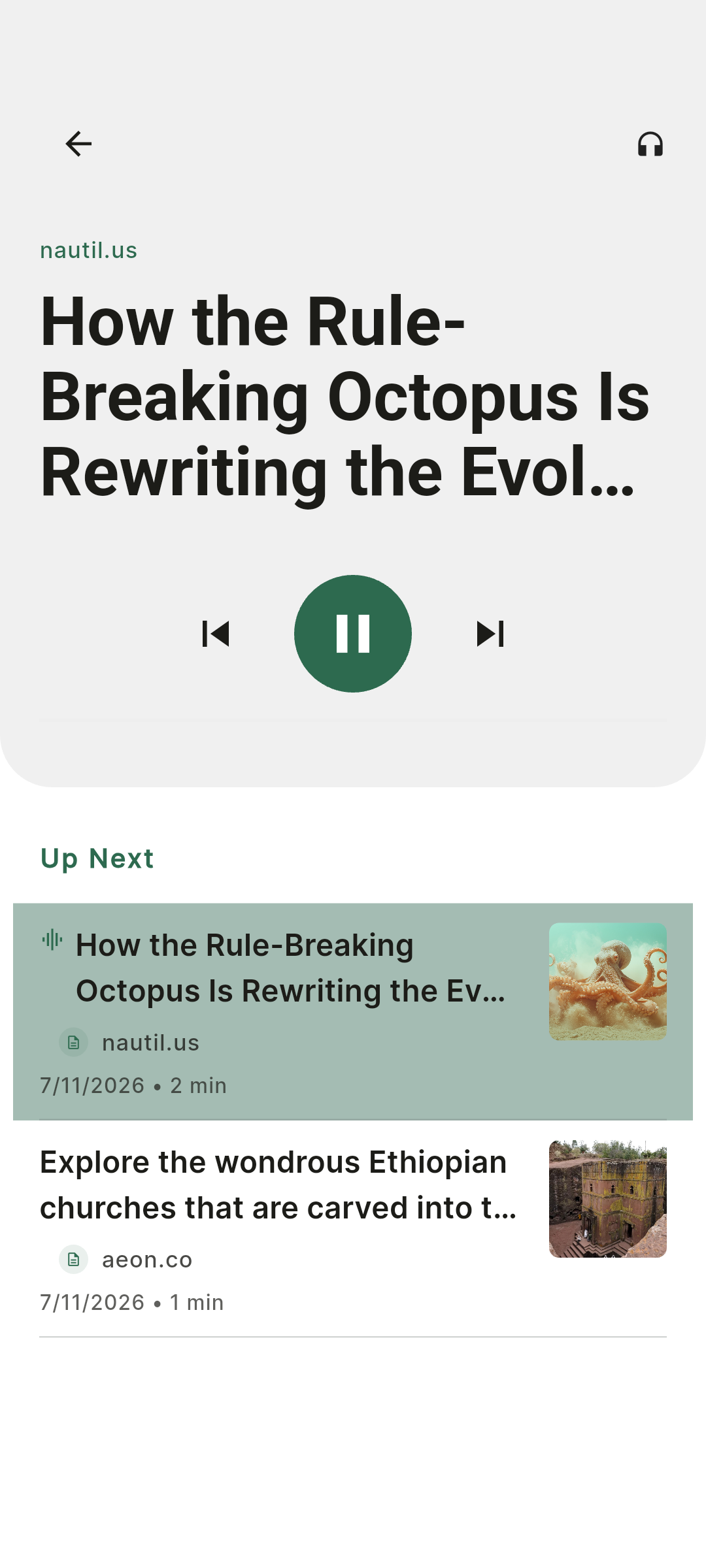
Listening is free, and works offline
Stiva uses the voices already installed on your phone rather than a streaming service, so any saved article can be read aloud with no connection and no monthly fee. Queueing your library into a continuous audio playlist is a Premium feature, bought once.
Your library stays on your device
Stiva saves the full article text locally. There's no Stiva account and no server holding your reading, which also means no login screen to fail when you're offline. Optional Google Drive or Dropbox sync is yours to switch on and yours to switch off.
The reading part is free, all of it
Saving, unlimited offline access, listening, tags and importing your old library cost nothing and aren't capped. Stiva has a Premium tier too, for full-text search, the audio playlist, exports and immersive reading. The difference is what happens when you stop paying: with a subscription the features leave, here they don't.
Pay once, if you ever do
Premium is a one-time purchase tied to a major version, never a recurring charge. More on the no-subscription model.
Moving your Instapaper library.
Export from Instapaper
On instapaper.com, open Settings and download the CSV export of your saved articles.
Open Stiva's import tool
In Stiva, go to Settings → Import and point it at the CSV file.
Start reading
Your articles land in the library, ready to read offline or listen to.
How cleanly an import lands depends on how each service formats its export. Stiva keeps refining the handlers as those formats change. Nothing is deleted on the Instapaper side, so you can keep both running while you decide.
Where Instapaper is still the better call.
There are real cases where moving would be a downgrade.
You read across devices
Instapaper covers iOS, Android and the web. Stiva is Android only for now, with iOS in progress and a web app on the roadmap. If your reading moves between a laptop and a phone all day, that gap will get in the way.
You read on a Kindle
Scheduled send-to-Kindle is an Instapaper Premium feature with few real equivalents. Stiva doesn't do it.
You want the archive off your phone
A permanent cloud archive means a lost or wiped phone costs you nothing. Stiva keeps things local by design, so backups are on you, with optional Drive or Dropbox sync to help.
You're deep in an integration
Instapaper has a public API and years of third-party tools built on it. Stiva starts from a different place, a library that lives on your phone rather than on a server, so it won't mirror that ecosystem piece for piece. Today there are browser extensions for Chrome and Firefox (beta) and the import handlers, and closing the distance with the more mature apps is exactly what the roadmap is for.
Common questions.
- Is there a free Instapaper alternative?
- Stiva is one on Android. Saving, unlimited offline access, listening, tags and importing your old library are free, with no account. There's a Premium tier for full-text search, the audio playlist and exports, unlocked with a one-time purchase per major version rather than a monthly fee.
- How much does Instapaper cost?
- Instapaper has a free tier and a Premium plan at $5.99 a month or $59.99 a year, as of 2026. The free tier covers unlimited saves, sync and folders, and caps notes at five a month.
- What do you get with Instapaper Premium?
- Premium adds full-text search across your saved articles, a permanent archive, unlimited notes, a PDF reader, send-to-Kindle, speed reading, AI voices with text-to-speech playlists on mobile, and an ad-free website.
- Can I import my Instapaper library into Stiva?
- Yes. Instapaper exports a CSV file, and Stiva has a built-in import tool that reads it, along with Pocket and Raindrop exports, browser bookmarks and generic ZIP, HTML and CSV files.
- Does Stiva have text-to-speech like Instapaper?
- Yes. Stiva uses the voices already installed on your phone, so listening works offline with no streaming, and playback is free on every saved article. Queueing your library into a continuous audio playlist is a Stiva Premium feature, bought once rather than rented. On Instapaper, AI voices and text-to-speech playlists need the monthly plan.
- Is Stiva available on iOS like Instapaper?
- Not yet. Stiva is on Android now and an iOS version is in progress. Instapaper covers iOS, Android and the web today, so if your reading is spread across devices it remains the more complete option.
- Does Stiva need an account?
- No. There is no Stiva account and no server holding your library. Your saved articles live on your phone, and optional Google Drive or Dropbox sync is yours to switch on and yours to switch off.
Stiva is out on Android. iOS is next.
Leave your email and we'll let you know the moment the iOS version lands.
Built for saved reading, not feeds, ads or engagement loops.