Read articles offline, with no connection at all.
Most apps save a link and hope the network is there when you come back to it. Stiva is a read later app that saves the article itself. The full text lands on your phone the moment you save it, so your reading works on a plane, in a tunnel, or with data switched off.
No account. No servers. No subscription. Free to save, read and listen. Pay once for Premium.
Why saved articles vanish when you need them.
You save a long piece for the flight. You open the app at 30,000 feet and get a spinner, then an error.
The reason is almost always the same: what got saved was a URL, not an article. Browser bookmarks work that way. So do most link managers and most reading lists built into other apps. They store an address and fetch the page when you tap it, which is fine on wifi and useless everywhere else. Add a paywall, a cookie banner or a site that has since gone down, and even a connection is not enough.
Reading offline only works if the words are already on the device before you lose signal. That is the whole difference, and it is a decision an app makes when you hit save, not when you hit open.
How Stiva keeps your reading offline.
Offline isn't a setting you turn on in Stiva. It's how saving works in the first place.
The full text, saved on the spot
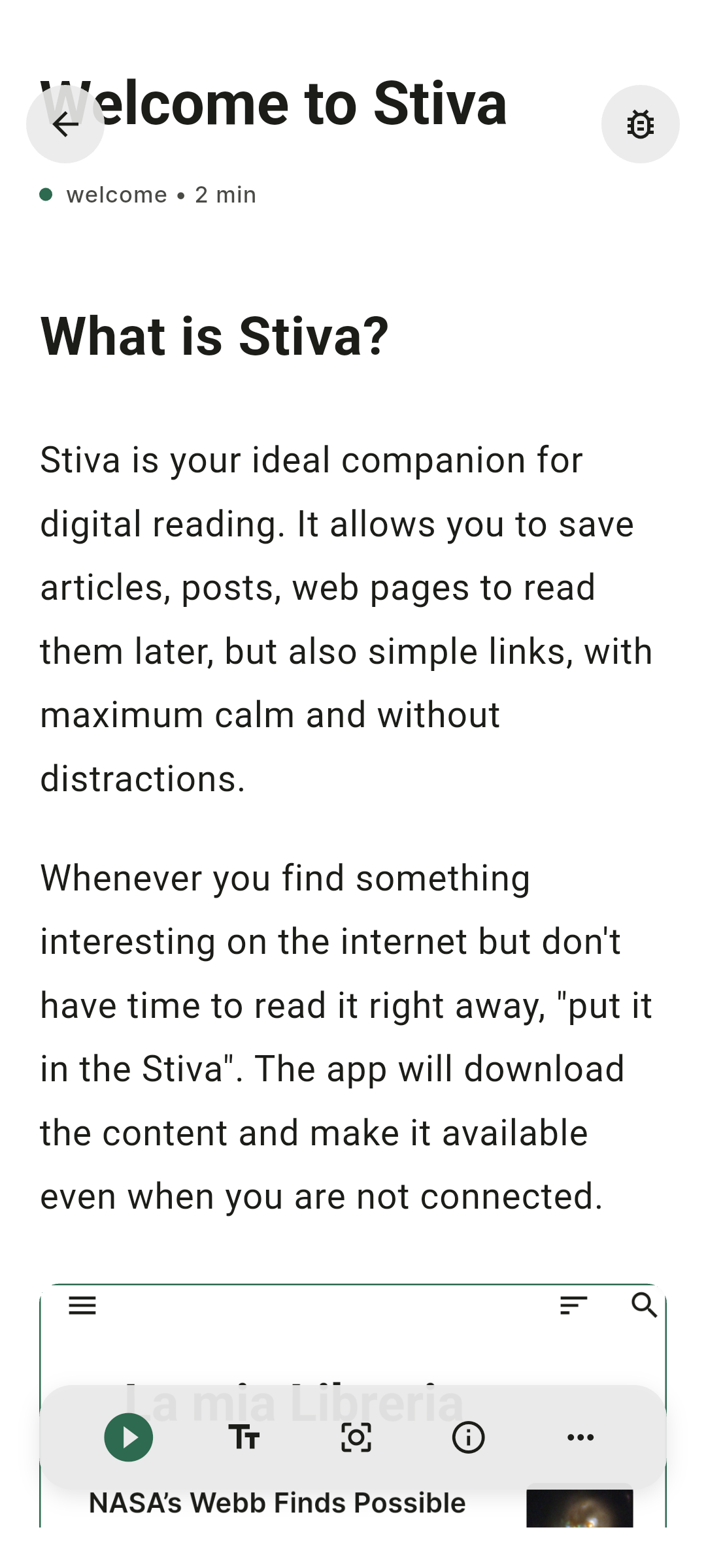
Share a page to Stiva, or send it over with the browser extension, and the article is extracted and written to your phone straight away. Text, structure and images come along. Nothing is fetched again later.
A reader built for long pieces
Saved articles open in a clean reader with no ads, popups or newsletter overlays, in light, dark or sepia. Stiva remembers where you stopped, so a piece you started on the bus picks up where you left it.
Listening works offline too
Text-to-speech uses the voices already on your phone rather than a streaming service, so an article can be read aloud with no connection. Queueing your library into a continuous audio playlist, for a commute or a run, is a Premium feature bought once.
No account standing between you and your library
There's no Stiva account and no server holding your reading. That also means there's no login screen to fail when you're offline. Optional Google Drive or Dropbox sync is yours to switch on and yours to switch off.
Where offline reading actually earns its keep.
Flights
Airplane mode for a few hours is the clearest case. Load up the library before you leave and you have hours of reading and listening that never asks for wifi.
Commutes and tunnels
Metro lines, regional trains and underground stretches drop signal constantly. An article stored on the device doesn't notice.
Travel and roaming
Abroad, data is either expensive or capped. Saving on hotel wifi and reading through the day keeps the reading off the meter entirely.
Deliberate disconnection
Some of the best reading happens with data off on purpose. Offline saving makes that a choice you can afford to make.
Pages that disappear
Sites get redesigned, paywalled or taken down. A local copy of an article you cared about is the only version that stays.
Patchy coverage
Rural areas, basements, large buildings. Anywhere the bars come and go, a reader that depends on the network is a reader that interrupts you.
Offline reading, app by app.
Not every app that saves articles keeps them readable when the signal goes.
| Feature | Stiva | Instapaper | Raindrop | Readwise Reader | Browser bookmarks |
|---|---|---|---|---|---|
| Full text stored on device | Yes, every article | Yes | Not really a reader | Selective | No, the link only |
| Offline text-to-speech | Yes, native voices | Premium | No | Online only | No |
| Account needed | No | Yes | Yes | Yes | For sync |
| Where the library lives | Your device | Their cloud | Their cloud | Their cloud | Browser sync |
| Price | Free; one-time 6,99€ for Premium (eurozone price) | Free tier; $5.99/mo Premium | Free tier; ~$3/mo Pro (yearly) | $9.99/mo, no free tier | Free |
| Platforms | Android; iOS and web on the roadmap | iOS, Android, web | iOS, Android, web, desktop | iOS, Android, web | Everywhere |
Competitor pricing and details are as of 2026 and change often; check each service for its current terms.
Stiva is Android only for now, with a web app on the roadmap. If your reading moves between a laptop and a phone all day, that will get in the way. For reading on a phone with no connection, it does the job without an account or a subscription. If you're coming from a service that shut down, the Pocket alternative page covers moving your library across, and the Stiva home page has the rest of what the app does.
Saving an article for offline reading.
Three steps, and they only involve you once. Save articles for offline reading while you have signal, and the library does the rest.
Send the page to Stiva
Use the share sheet from any browser or app on Android, or the browser extension on a desktop.
Let it finish saving
Stiva pulls in the article text while you still have signal. It takes a moment and then it's yours.
Read it anywhere
Open the library with data off and everything is there, ready to read or to listen to.
Common questions.
- How do I read articles offline on Android?
- Save the article with an app that stores its full text on the device rather than just the link. In Stiva, share a page to the app or use the browser extension: the article text is pulled in and kept on your phone, so it opens with no connection.
- Does Stiva download the whole article or just the link?
- The whole article. Stiva extracts the text and stores it locally, which is what makes offline reading work. Bookmarks and most link-collecting apps keep only the URL, so they need a connection to show you anything.
- Can I listen to saved articles offline?
- Yes. Stiva uses the voices already installed on your phone, so text-to-speech works with no connection and no streaming. Playback is free on every saved article; queueing them into a continuous playlist is a Premium feature.
- Do I need an account to read articles offline?
- Not with Stiva. There is no Stiva account and no server holding your library. Optional Google Drive or Dropbox sync is yours to switch on and yours to switch off.
- How many articles can I save for offline reading?
- As many as your phone has room for. Article text is small, so a large library takes up very little space compared to photos or podcasts.
- What happens if I lose connection while reading?
- Nothing changes. The article is already on the device, so scrolling, highlighting and text-to-speech carry on as before. Stiva also remembers where you stopped.
- Is there an offline article reader without a subscription?
- Stiva is one. Saving, reading offline, listening and organizing your library is free. Premium features unlock with a one-time purchase per major version, never a recurring charge.
- Does Stiva have an iOS app?
- Not yet. Android is available now and an iOS version is in progress. Leave your email to be notified.
Stiva is out on Android. iOS is next.
Leave your email and we'll let you know the moment the iOS version lands.
Built for saved reading, not feeds, ads or engagement loops.