Read any article out loud, even offline.
You saved a long piece, but your eyes are busy. Stiva is a read later app that reads your saved articles to you. Open one, press play, and it keeps going with the screen off, from the lock screen, with or without a connection.

No account. No servers. No subscription. Free to save, read and listen. Pay once for Premium.
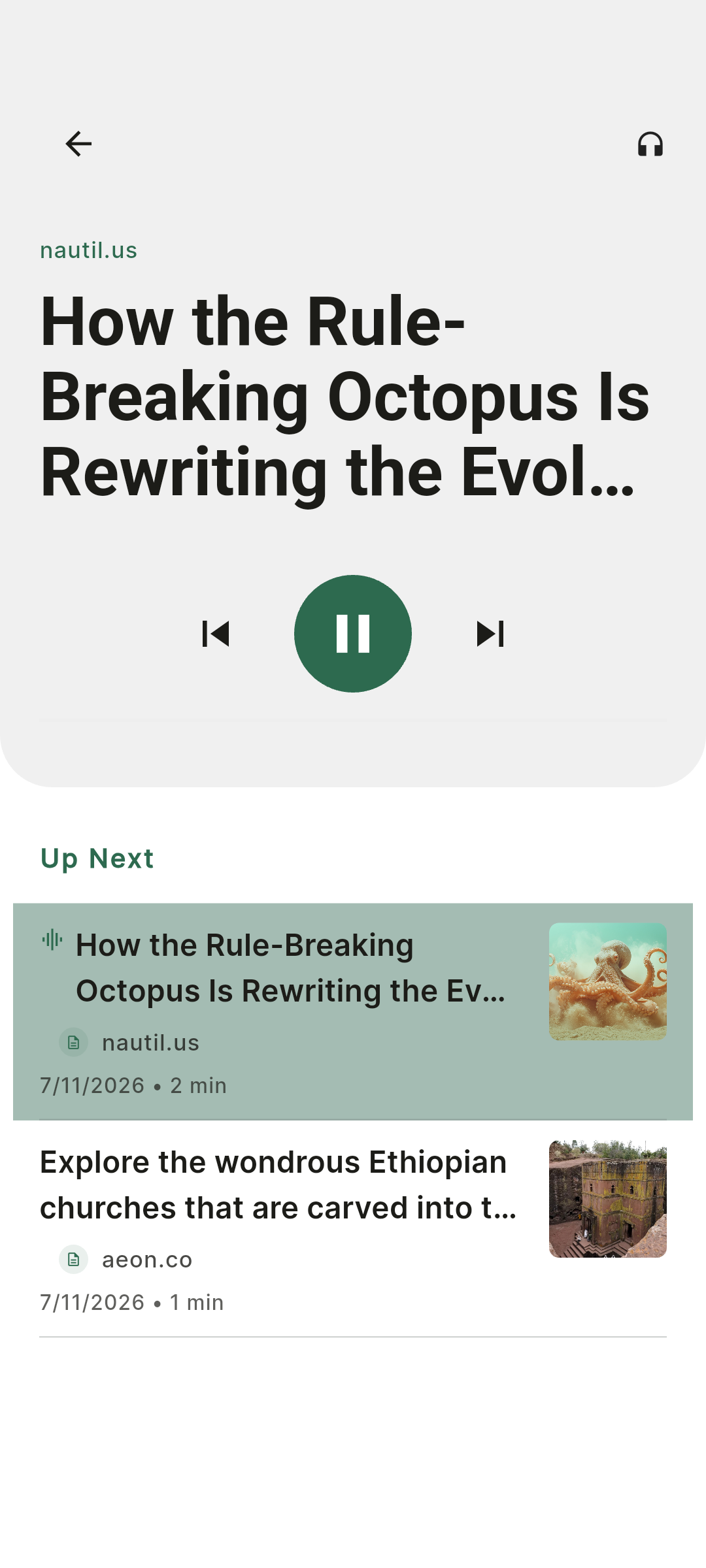
How Stiva reads an article to you.
Save it once, then read it or listen to it, whichever suits the moment.
Any saved article, one tap away
Every article in your library can be read aloud. Open it and press play: Stiva reads the clean text of the piece, without menus, ads or the rest of the page.
It keeps going with the screen off
Playback continues in the background, with controls on the lock screen and in the notification shade. Put the phone in your pocket and carry on with what you were doing.
Your pace, in the language of the article
Set the reading speed that suits you. Stiva reads each article in its own language, using the text-to-speech voices installed on your phone.
No connection needed
The voices live on your phone, so nothing is streamed. Once an article is saved, it can be read to you on a plane or in a tunnel. More on that in reading articles offline.
Your reading list, as an audio playlist.
One article at a time is free. If you'd rather line up a few pieces, reorder them and let them play one after another without touching the phone, that's the playlist, a Premium feature you buy once rather than rent. It turns a list of things you meant to read into a stretch of listening for a commute, a walk or the washing-up.
Where listening earns its keep.
Commutes
Bus, train or a walk to work. The reading list you never had time for becomes something you can get through on the way.
Hands busy
Cooking, cleaning, folding laundry. Your hands are occupied and your attention is free.
Walking and running
A long read is easier to take in at walking pace than on a small screen.
Tired eyes
After a day on screens, listening to an article is a way to keep reading without looking at anything.
Long pieces
The essay you keep postponing is more likely to get finished when you can listen to it in two or three sittings. Stiva remembers where you stopped.
Where Stiva isn't the right tool.
You want studio-quality voices
For now, Stiva reads with the voices built into your phone. They're not on par with an audiobook, but they do their job well: they've improved a lot over time, and they could improve even faster. Using the native voices was also a strategic choice, which kept the costs of running the app low and fit the philosophy of paying per major release. We're still working on bringing in higher-quality voices. Why Stiva has no subscription.
You want to listen to anything on your screen
Stiva reads the articles you save to it. For other apps, files or messages, Android's built-in screen reader is the better fit.
You're on iPhone
Stiva is out on Android. iOS is next, and you can leave your email below to be told when it lands.
Listening to an article, step by step.
To read an article out loud, you only need to save it first.
Save the article
Use the share sheet from any browser or app on Android, or the browser extension on a desktop.
Open it and press play
Stiva reads the article aloud, from where you left off if you've started it before.
Put the phone away
Playback continues with the screen off. Pause, skip or change the speed from the lock screen or from the app.
Common questions.
- How do I make my phone read an article out loud?
- Save the article in Stiva, open it and press play. Stiva reads the clean text of the article, without menus or ads, and keeps going with the screen off. To save a page, share it to Stiva from any browser or app on Android, or use the browser extension.
- Which voices does Stiva use?
- For now, Stiva reads with the voices built into your device. That's a deliberate choice: it keeps the app's running costs low, and that's what lets Stiva work without a subscription. Instead of a monthly fee, you pay once per major version and keep it for good. Here's why we built it that way.
- Will Stiva offer higher-quality voices?
- It's something we plan to add. Natural-sounding voices are the part of listening with the most room to improve, and we want to get there without turning Stiva into a subscription: no account, no monthly bill, and a price that reflects what you actually get.
- Can I listen to articles offline?
- Yes. The voices are already on your phone, so nothing is streamed and no connection is needed once the article is saved.
- Does it keep playing with the screen off?
- Yes. Playback continues in the background, with controls on the lock screen and in the notification shade, so you can put the phone in your pocket.
- Is listening to articles free?
- Yes. Playing any saved article out loud is free. Lining articles up into a continuous playlist is a Premium feature, bought once per major version, never a recurring charge.
- Which languages can Stiva read in?
- Stiva reads each article in its own language, as long as your phone has a text-to-speech voice for it. You can add voices for more languages in Android's text-to-speech settings.
- Does Stiva have an iOS app?
- Not yet. Android is available now and an iOS version is in progress. Leave your email to be notified.
Stiva is out on Android. iOS is next.
Leave your email and we'll let you know the moment the iOS version lands.
Built for saved reading, not feeds, ads or engagement loops.